Skip to content
 

The image style explorer

Find a look.
Make it yours.

A whole world of image styles, without needing to know their names. Explore 96 looks, compare your favourites, then make a prompt for ChatGPT.

Free to explore · No account · Your collections stay with you

A visual vocabulary

What could your image look like?

Every example starts with the same fox, cup and plant brief. Click a style to see the words behind it. Save a favourite with the heart, or compare up to three.

96 styles

Photography

Small surface imperfections and plausible light make the scene feel photographed.

Use style

Painting

Paper shows through translucent colour, keeping the image light.

Use style

Printmaking

Carved shapes simplify the scene into bold light and dark areas.

Use style

3D & materials

Fingerprints and imperfect surfaces make 3D feel handmade.

Use style

Graphic design

Flat shapes read quickly at small sizes.

Use style

Digital worlds

A limited pixel grid makes every small mark matter.

Use style

Drawing

Hatching and smudges describe volume without colour.

Use style

Art movements

Broken colour suggests light rather than describing every edge.

Use style

Photography

Controlled reflections and a quiet background put the object first.

Use style

Painting

Opaque matte colour produces solid shapes with a handmade finish.

Use style

Printmaking

Rough carved lines add direction and a handmade rhythm.

Use style

3D & materials

Flat polygon faces turn smooth surfaces into a geometric vocabulary.

Use style

Graphic design

A small vocabulary of shapes can describe a complex subject.

Use style

Digital worlds

Pastel synthetic colour creates a nostalgic digital mood.

Use style

Drawing

Large dark gestures give the subject weight and energy.

Use style

Art movements

Stronger colour and structure make the scene feel interpreted.

Use style

Photography

Grain and softened highlights give the scene a tactile, imperfect feel.

Use style

Painting

Layered colour and visible brushwork give surfaces depth.

Use style

Printmaking

Fine repeated lines create delicate detail and deep shadows.

Use style

3D & materials

Rounded forms and soft shadows make objects approachable.

Use style

Graphic design

Edges and layer shadows reveal how the image appears constructed.

Use style

Digital worlds

Glowing edges and saturated colour suggest a retro digital future.

Use style

Drawing

Small coloured strokes build soft, approachable surfaces.

Use style

Art movements

Distortion and intense colour prioritise emotion over realism.

Use style

24 of 96 shown

A little learning, if you want it

Same idea. Different words.
A different image.

Try the prompt generator

The subject tells the model what to show. The style tells it how to represent that subject: a photograph, a wash of paint, carved ink, folded paper. You do not need a long prompt to begin exploring.
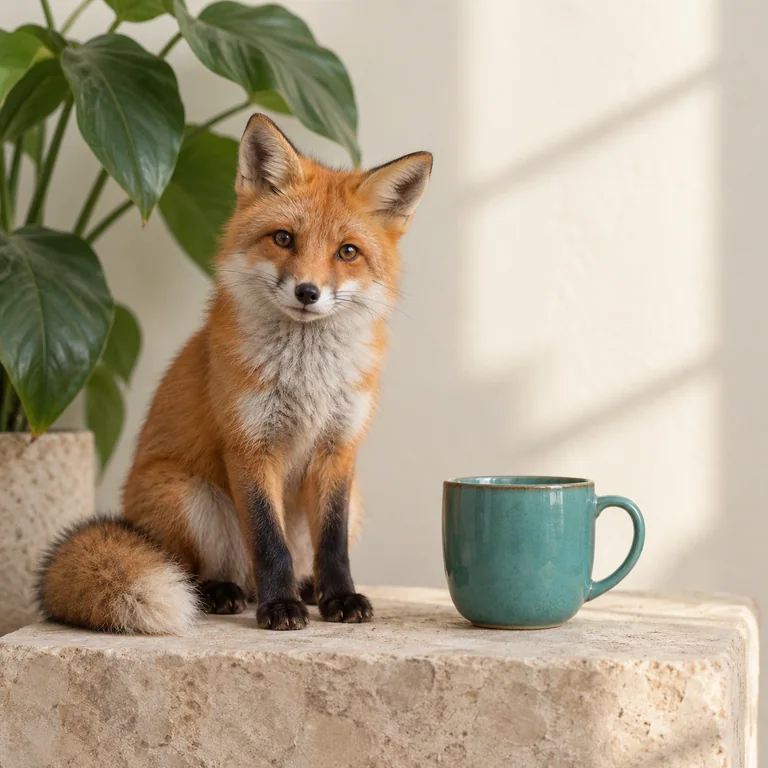
The orange fox, teal cup and plant reference scene in photorealistic style
Small surface imperfections and plausible light make the scene feel photographed.
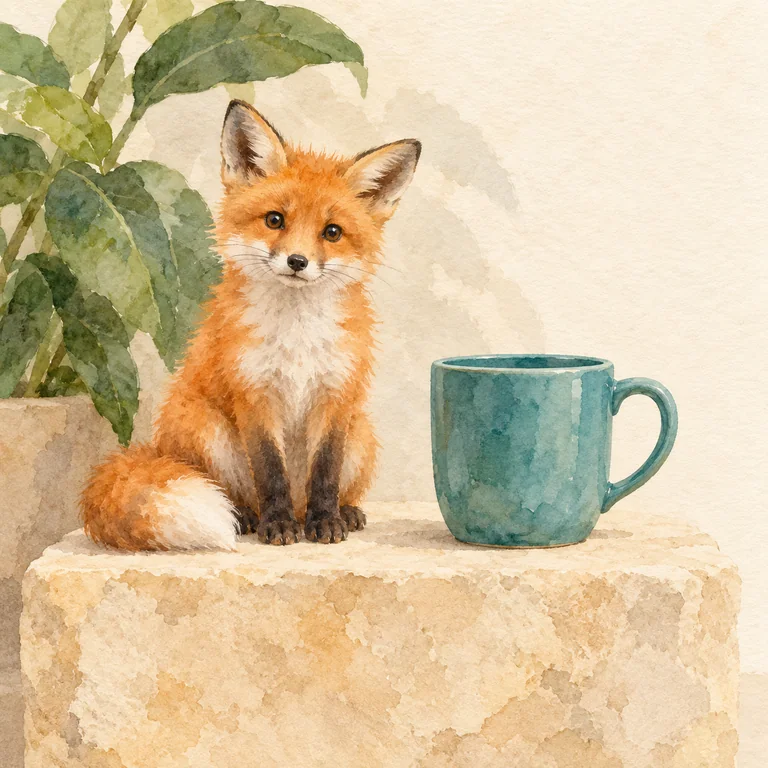
The orange fox, teal cup and plant reference scene in watercolour style
Paper shows through translucent colour, keeping the image light.

Shared subject: a small orange fox sitting beside a plain teal ceramic coffee cup on a pale sandstone block, with one broad-leaf plant behind it and a cream wall. These are separate generations, so small details can vary alongside the style.

The building blocks of an image prompt
Subject
What appears in the image.A teal ceramic cup beside a plant.
Medium
The material or process it should resemble.Photography, watercolour, charcoal, clay.
Style
The visual language used to interpret it.Minimalist, Art Deco, impressionist, storybook.
Lighting
How light shapes the scene.Soft window light, dramatic side light, neon.
Palette
The colours that give the image its mood.Earth tones, pastels, monochrome.
Composition
Where the subject sits and how we see it.Overhead, centred, room for text on the left.
Constraints
What the image must preserve or leave out.Keep the product shape. Leave space for a title.
A three-minute style experiment
  1. Pick one subject you care about. Keep that description fixed.
  2. Generate it with one style, then change only the style and generate again.
  3. Compare the edges, texture, colour and light. Which result serves your project?
  4. Repeat each style a few times. One beautiful image does not prove the words will always work.
  5. Save the useful prompt in a collection, then try it on a second subject.

In the generator, “Random style only” changes the primary style while preserving your other settings.

Make it useful for websites, products, covers and slides

Websites: ask for negative space where a headline will sit. Check the image at the actual crop and screen size.

Products: upload a real reference photo to ChatGPT. Ask it to preserve shape, material, colour and label details. Inspect the result against the original.

Book covers: reserve room for a title. Add final typography in your design tool for precise placement.

Google Slides: use a simple composition and clear space for text. Check that the subject remains legible from the back of a room.

Original examples created for this course using OpenAI’s image generation tool. No named-artist prompts. Library v1.0 · October 2026.

Creating and editing images in ChatGPT ↗Explore the course’s image technique lab ↗