Diffcore
Semantic diff layer for code review
Git shows you what text changed. Diffcore shows you what those changes mean, how they relate, and what order to review them in. Built for AI agent PRs with 50+ file changes.
macOS Apple Silicon (arm64). Unsigned release. Run xattr -cr /Applications/Diffcore.app after install.
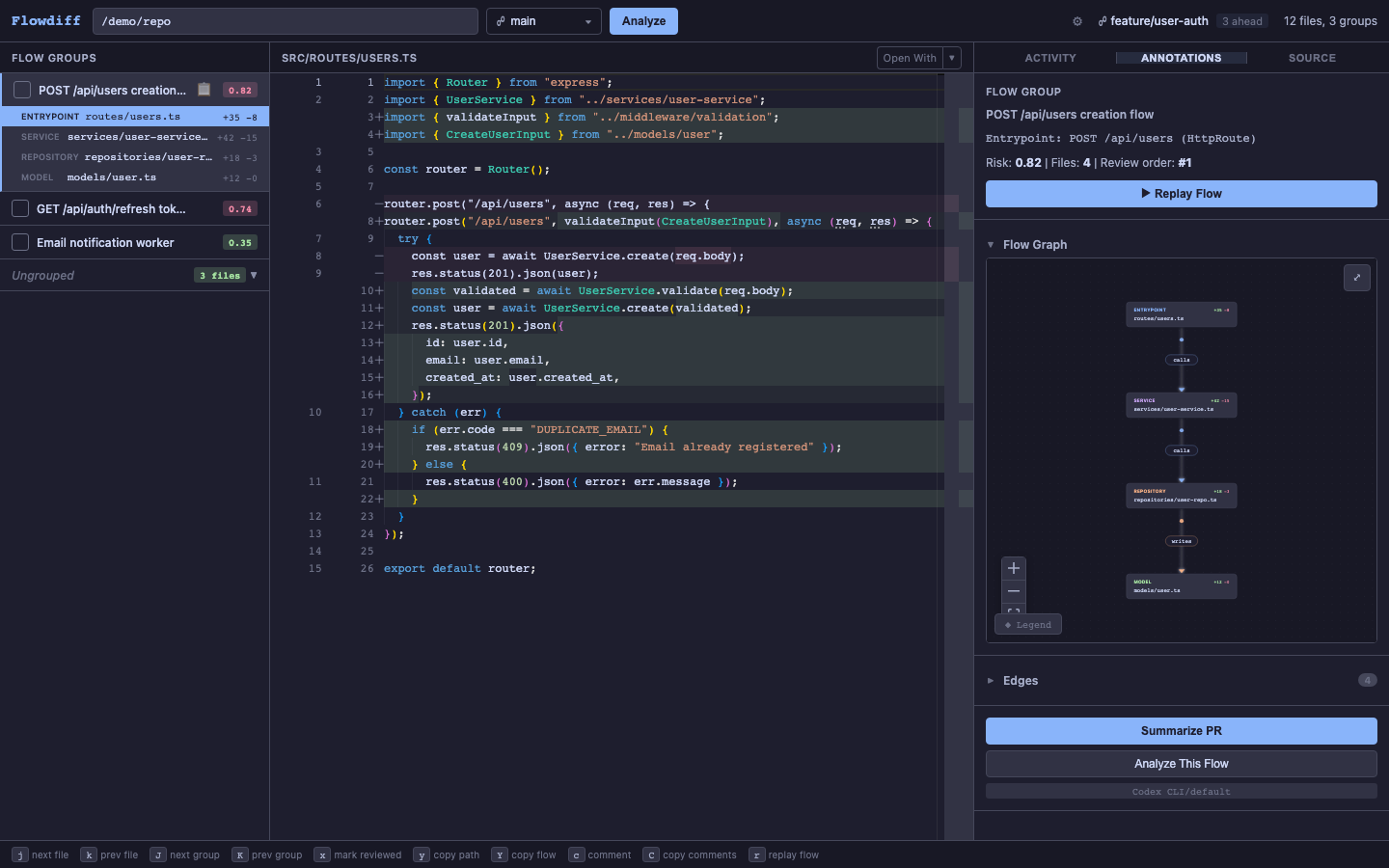
From diff to review flow
Large AI-generated pull requests flatten structural changes into dozens of files. Git can show the syntax delta, but it does not tell you which files belong to the same behavior, how execution moves through them, or what to review first.
Diffcore builds a structural model from the changed code, groups files into review flows, and ranks them so humans and agents can inspect the same semantic slice instead of a raw patch dump.
- Which changed files belong to the same system behavior?
- Where does this PR start, and what does it fan out into?
- What should a human review first when the diff is huge?
- How do I hand one scoped review packet back to an AI agent?
Build a structural model from the git diff, detect entrypoints, and rank the review by the flows that matter instead of raw file order.
diffcore analyze --base main -o review.jsonUse optional LLM refinement to split incidental coupling, merge scattered refactors, and improve the human reading order before review starts.
diffcore analyze --base main --refineOpen a saved review packet in an external diff tool when you want a focused handoff for one flow group instead of the entire PR at once.
diffcore launch --tool code --group group_1 --input review.jsonWhat it does
Structural diff analysis for large pull requests, human review loops, and AI agent handoffs.
Flow Groups
Clusters related file changes into logical review units ordered by data flow. Read code in the order it executes.
Interactive Flow Graph
Visualizes the call graph between changed files with animated edges showing data direction. Click nodes to navigate.
Review Comments
Annotate code with comments scoped to lines, files, or groups. Comments show as gutter icons in the editor and can be exported for AI fix loops.
Replay Mode
Walk through each file in a flow group step by step, following the execution path from entrypoint to leaf instead of scanning a flat file list.
30+ Frameworks
Auto-detects Express, Next.js, FastAPI, Effect.ts, Django, Flask, React, and many more. Zero config needed.
LLM Refinement
Optionally use Anthropic, OpenAI, or Gemini to refine groupings, clean up review order, and surface higher-signal annotations.
See it in action
Desktop review flows, graph navigation, replay walkthroughs, and comment-aware diffs.
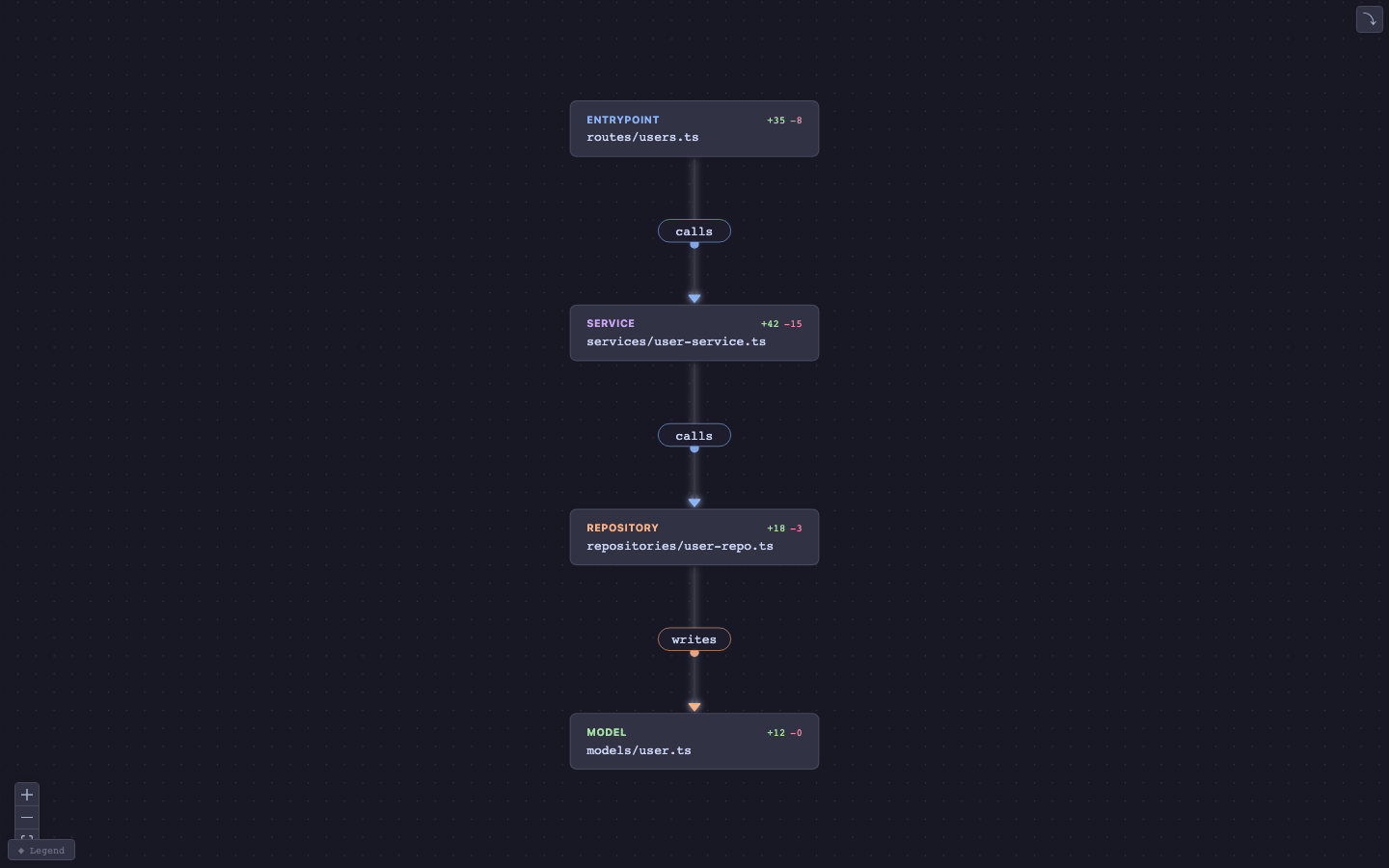
Interactive flow graph with animated edges.
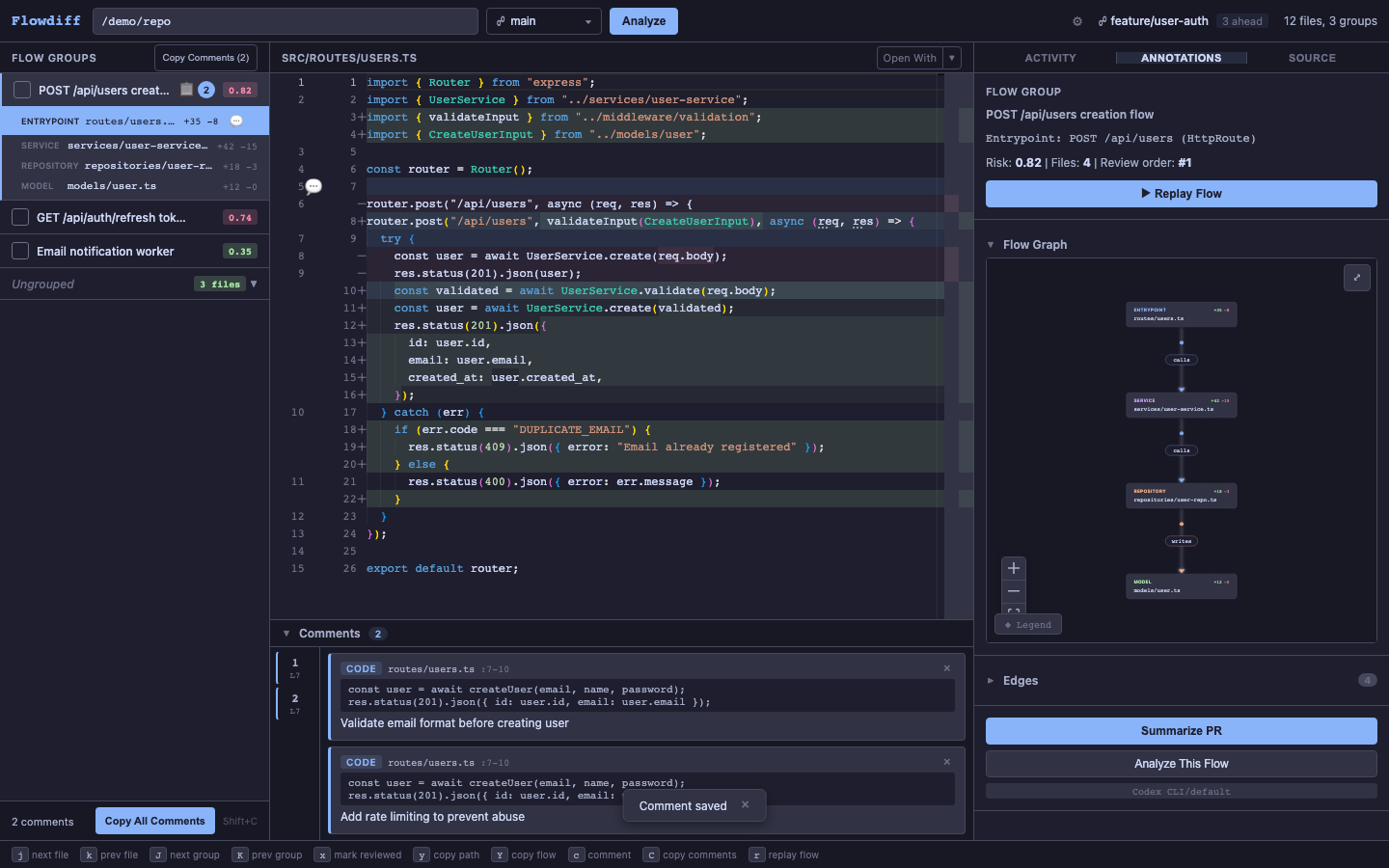
Review comments with gutter icons and a scoped comment strip.
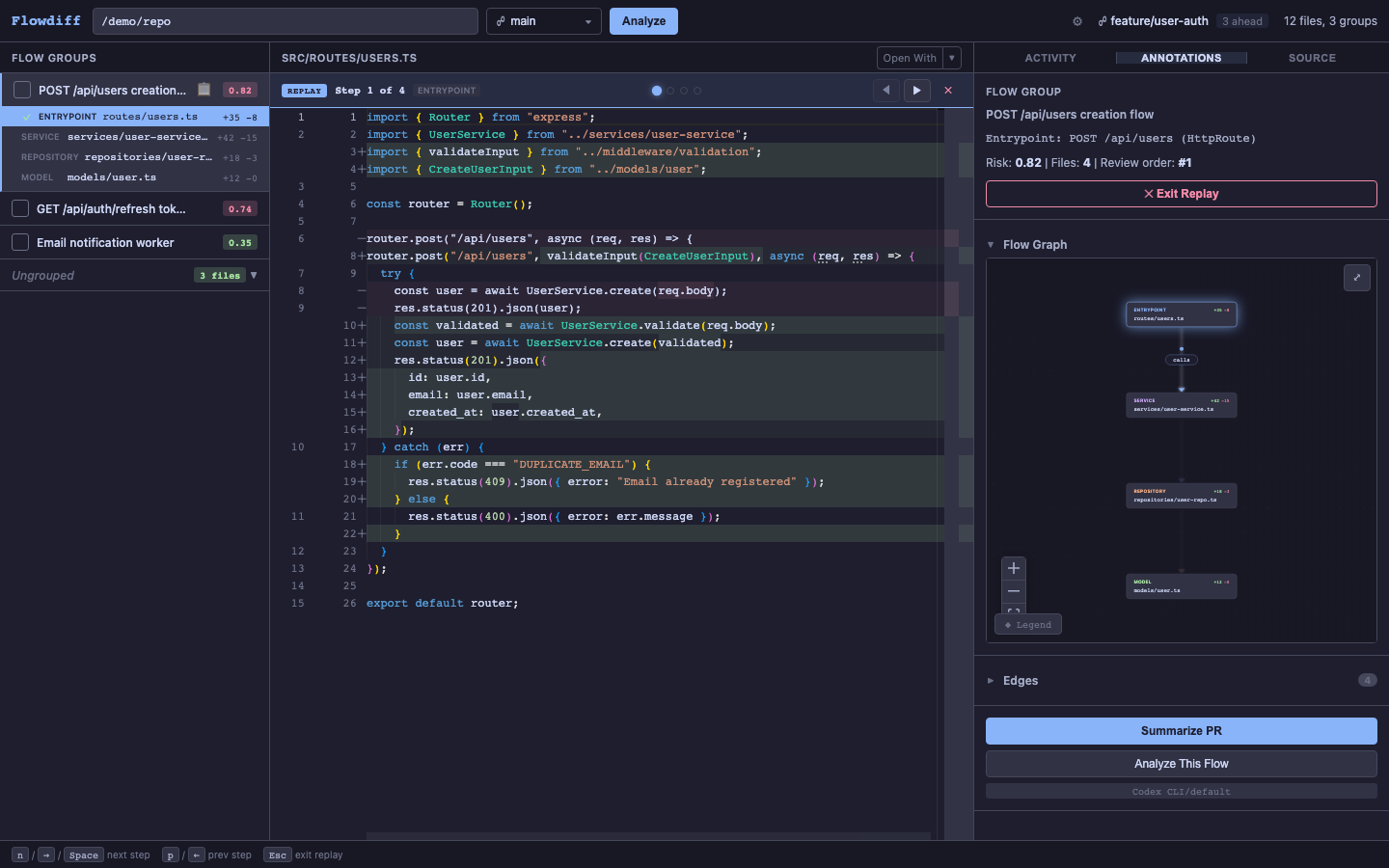
Replay mode walks the flow from entrypoint to leaf.
CLI usage
Generate review packets, compare branches, refine flow groups, and launch scoped diffs from the command line.
diffcore analyzediffcore analyze --base main --head feature-branchdiffcore analyze --stageddiffcore analyze --base main -o review.jsondiffcore analyze --base main --annotatediffcore analyze --base main --refinediffcore launch --tool code --group group_1 --input review.jsonInstallation
CLI
Install the CLI via Cargo for automation, shell workflows, and saved review packets.
cargo install --git https://github.com/jamesaphoenix/diff-core diffcore-cliBuild from Source
Clone the repository and build the CLI or Tauri app yourself.
git clone https://github.com/jamesaphoenix/diff-core
cd diff-core
cargo build --release -p diffcore-cli
cd crates/diffcore-tauri/ui && npm i && cargo tauri build
Analyze the diff once. Review it as a flow.
Free and open source. Use the CLI in automation or open the desktop app when the PR is too large for raw git diff.