Summary
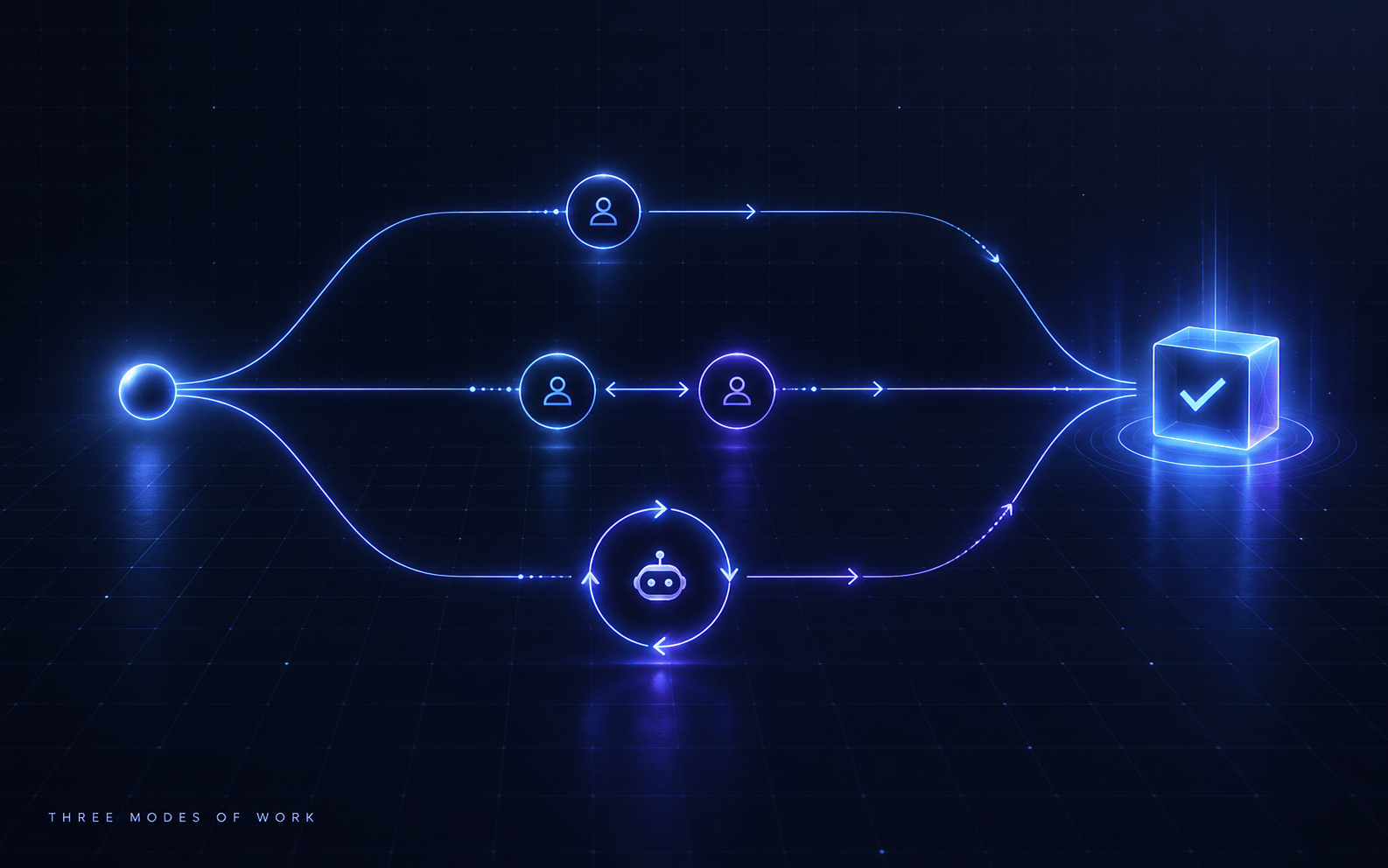
Using Playwright MCP tool calls for validation creates slow feedback loops with high overhead. Instead, generate Playwright validation scripts that can be run directly, creating faster iteration cycles and reusable test artifacts. The pattern: generate code → write Playwright script → run script → fix issues → loop until perfect.
The Problem
Playwright MCP tool calls have significant overhead per action (navigation, clicks, assertions). Each tool call requires API round-trips, making iterative validation slow. For a 10-step validation flow, MCP might take 2-3 minutes; a direct script runs in 10-20 seconds. This 10x slowdown kills development velocity.
The Solution
Generate Playwright validation scripts as executable code artifacts instead of using MCP tool calls. Scripts run locally with minimal overhead, provide reusable validation, and create a fast feedback loop. The LLM generates both implementation code and validation script, runs the script, analyzes failures, and iterates until all validations pass.
The Problem
When validating code with AI coding agents, you face a critical choice:
- Use MCP tools (e.g., Playwright MCP) for validation
- Generate scripts that can be run directly
MCP tools seem convenient—the LLM can call them directly without writing code. But they have a fatal flaw: speed.
The Performance Gap
Consider validating a login flow with 10 steps:
Using Playwright MCP:
Step 1: Navigate to /login (MCP call)
Wait for response...

Step 2: Fill email field (MCP call)
Wait for response...

Step 3: Fill password field (MCP call)
Wait for response...

... (7 more steps)

Total time: 2-3 minutes
Using Playwright Script:
// validate-login.ts
import { test } from '@playwright/test';

test('login flow', async ({ page }) => {
  await page.goto('/login');
  await page.fill('[data-testid="email"]', 'test@example.com');
  await page.fill('[data-testid="password"]', 'password123');
  await page.click('[data-testid="submit"]');
  await page.waitForURL('/dashboard');
  // ... all 10 steps
});
$ npx playwright test validate-login.ts

Running 1 test...
✓ login flow (12s)

Total time: 12 seconds
The difference: 2-3 minutes vs. 12 seconds = 10-15x faster.
Why This Matters
Iterative development requires fast feedback loops:
Iteration 1:
- Generate code
- Validate with MCP (3 min)
- Find issue
- Fix issue
- Validate with MCP (3 min)
- Find another issue
- Fix issue
- Validate with MCP (3 min)

Total: 9 minutes for 3 iterations
With scripts:
- Generate code + script
- Run script (12s)
- Find issue
- Fix issue
- Run script (12s)
- Find another issue
- Fix issue
- Run script (12s)

Total: 36 seconds for 3 iterations
The impact: 15x faster iteration = 15x more iterations in the same time = higher quality code.
Real-World Example
Scenario: Building a user registration form with validation
With MCP (45 minutes total):
Iteration 1: Generate form → Validate with MCP (3 min) → Email validation broken
Iteration 2: Fix email → Validate with MCP (3 min) → Password strength broken
Iteration 3: Fix password → Validate with MCP (3 min) → Confirm password broken
Iteration 4: Fix confirm → Validate with MCP (3 min) → Terms checkbox broken
Iteration 5: Fix terms → Validate with MCP (3 min) → Submit disabled state broken
Iteration 6: Fix submit → Validate with MCP (3 min) → Success redirect broken
Iteration 7: Fix redirect → Validate with MCP (3 min) → Error handling broken
Iteration 8: Fix errors → Validate with MCP (3 min) → Loading state broken
Iteration 9: Fix loading → Validate with MCP (3 min) → ✓ All tests pass

Total iterations: 9
Total time: 27 minutes
With Scripts (3 minutes total):
Iteration 1: Generate form + script → Run (12s) → 8 failures identified
Iteration 2: Fix all 8 issues → Run (12s) → 2 failures remaining
Iteration 3: Fix final 2 → Run (12s) → ✓ All tests pass

Total iterations: 3
Total time: 36 seconds + fix time ≈ 3 minutes
Key difference: Scripts find all failures at once, while MCP finds them one at a time.
The Solution
The Playwright Script Loop pattern:
- Generate code (implementation)
- Write Playwright validation script (as code artifact)
- Run script (execute locally)
- Analyze failures (all at once)
- Fix issues (batch fixes)
- Loop until all validations pass
Core Concept
Treat validation scripts as first-class code artifacts, not ad-hoc tool calls.
Anti-pattern (MCP):
LLM: "Let me validate this by calling Playwright MCP..."
[Makes 10 separate tool calls]
[Waits for responses]
[Finds one issue]
[Fixes issue]
[Repeats]
Pattern (Script Loop):
LLM: "Let me generate a validation script..."
[Writes validate-feature.ts]
[Runs: npx playwright test validate-feature.ts]
[Gets all failures at once]
[Fixes all issues]
[Runs again]
[Repeats until green]
Why Scripts Are Superior
- Speed: 10-15x faster execution
- Batch feedback: All failures at once, not one-by-one
- Reusability: Script becomes part of test suite
- Debuggability: Can run locally, add breakpoints, inspect
- CI/CD integration: Scripts run in CI automatically
- Version control: Scripts are versioned, trackable
Implementation
Step 1: Define the Pattern
Establish the script loop as your default validation workflow.
In your CLAUDE.md:
## Validation Workflow

When implementing features that require browser validation:

1. Generate implementation code
2. Generate Playwright validation script in `tests/validation/`
3. Run script with `npx playwright test [script]`
4. Analyze all failures
5. Fix issues in implementation
6. Re-run script
7. Repeat until all tests pass

**Never use MCP for multi-step validation.** Always generate scripts.
Step 2: Script Template
Provide a standard template for validation scripts.
// tests/validation/feature-name.spec.ts
import { test, expect } from '@playwright/test';

test.describe('Feature Name Validation', () => {
  test.beforeEach(async ({ page }) => {
    // Setup: Navigate to starting point
    await page.goto('http://localhost:3000');
  });

  test('happy path: user completes flow successfully', async ({ page }) => {
    // Step 1: Initial state
    await expect(page.locator('[data-testid="feature-trigger"]')).toBeVisible();

    // Step 2: Trigger feature
    await page.click('[data-testid="feature-trigger"]');

    // Step 3: Verify expected behavior
    await expect(page.locator('[data-testid="feature-result"]')).toHaveText('Expected Result');

    // ... more steps
  });

  test('error handling: invalid input shows error', async ({ page }) => {
    // Test error cases
    await page.fill('[data-testid="input"]', 'invalid');
    await page.click('[data-testid="submit"]');
    await expect(page.locator('[data-testid="error"]')).toHaveText('Invalid input');
  });

  test('edge case: handles empty state', async ({ page }) => {
    // Test edge cases
    await page.click('[data-testid="submit"]');
    await expect(page.locator('[data-testid="empty-state"]')).toBeVisible();
  });
});
Step 3: Automated Script Generation
LLM generates both implementation and validation script.
Example prompt structure:
User: "Implement user login with email/password"

LLM: "I'll implement login and create a validation script.

## Implementation

[Generates LoginForm.tsx, loginAction.ts, etc.]

## Validation Script

[Generates tests/validation/login-flow.spec.ts]

## Running Validation

```bash
npx playwright test tests/validation/login-flow.spec.ts
Let me run this now to verify the implementation...”
[Runs script] [Analyzes results] [Fixes any issues] [Re-runs until green]
### Step 4: The Iteration Loop

**Iteration 1: Generate**
```bash
# LLM generates:
# - src/components/LoginForm.tsx
# - tests/validation/login-flow.spec.ts

$ npx playwright test tests/validation/login-flow.spec.ts

❌ login flow › happy path: user completes flow successfully
  - Email input not found
  - Password input not found
  - Submit button not found

3 failed, 0 passed
Iteration 2: Fix selectors
// LLM updates LoginForm.tsx with data-testid attributes
<input data-testid="email-input" type="email" />
<input data-testid="password-input" type="password" />
<button data-testid="submit-button">Login</button>
$ npx playwright test tests/validation/login-flow.spec.ts

❌ login flow › happy path: user completes flow successfully
  - Expected redirect to /dashboard, got /login

1 failed, 2 passed
Iteration 3: Fix redirect
// LLM updates loginAction.ts to include redirect
await signIn('credentials', {
  email,
  password,
  redirect: true,
  callbackUrl: '/dashboard',
});
$ npx playwright test tests/validation/login-flow.spec.ts

✓ login flow › happy path: user completes flow successfully
✓ login flow › error handling: invalid credentials
✓ login flow › edge case: empty fields

3 passed
Done! Script becomes part of permanent test suite.
Step 5: CI/CD Integration
Validation scripts automatically run in CI.
# .github/workflows/test.yml
name: Tests

on: [push, pull_request]

jobs:
  validation:
    runs-on: ubuntu-latest
    steps:
      - uses: actions/checkout@v3
      - uses: actions/setup-node@v3

      - name: Install dependencies
        run: npm ci

      - name: Start dev server
        run: npm run dev &

      - name: Wait for server
        run: npx wait-on http://localhost:3000

      - name: Run validation scripts
        run: npx playwright test tests/validation/

      - name: Upload test results
        if: failure()
        uses: actions/upload-artifact@v3
        with:
          name: playwright-results
          path: test-results/
Now every commit runs all validation scripts automatically.
Advanced Patterns
Pattern 1: Progressive Validation
Build up validation script as you implement.
// tests/validation/registration.spec.ts

// Iteration 1: Just the form rendering
test('renders registration form', async ({ page }) => {
  await page.goto('/register');
  await expect(page.locator('form')).toBeVisible();
});

// Iteration 2: Add field validation
test('validates email format', async ({ page }) => {
  await page.goto('/register');
  await page.fill('[data-testid="email"]', 'invalid');
  await page.blur('[data-testid="email"]');
  await expect(page.locator('[data-testid="email-error"]')).toBeVisible();
});

// Iteration 3: Add submission flow
test('submits valid registration', async ({ page }) => {
  await page.goto('/register');
  await page.fill('[data-testid="email"]', 'test@example.com');
  await page.fill('[data-testid="password"]', 'SecurePass123!');
  await page.click('[data-testid="submit"]');
  await expect(page).toHaveURL('/dashboard');
});
Run after each iteration to verify incremental progress.
Pattern 2: Multi-Browser Validation
Test across browsers automatically.
// playwright.config.ts
import { defineConfig, devices } from '@playwright/test';

export default defineConfig({
  projects: [
    { name: 'chromium', use: { ...devices['Desktop Chrome'] } },
    { name: 'firefox', use: { ...devices['Desktop Firefox'] } },
    { name: 'webkit', use: { ...devices['Desktop Safari'] } },
    { name: 'mobile', use: { ...devices['iPhone 13'] } },
  ],
});
$ npx playwright test

Running 4 tests across 4 projects:
✓ [chromium] login flow (8s)
✓ [firefox] login flow (9s)
✓ [webkit] login flow (10s)
✓ [mobile] login flow (12s)

4 passed
Single script validates across all browsers.
Pattern 3: Visual Regression Integration
Combine with screenshot comparison.
test('visual regression: login form', async ({ page }) => {
  await page.goto('/login');

  // Take screenshot
  await expect(page).toHaveScreenshot('login-form.png', {
    maxDiffPixels: 100, // Allow small differences
  });
});
Playwright automatically compares against baseline.
Pattern 4: Parameterized Validation
Test multiple scenarios with one script.
const testCases = [
  {
    name: 'valid login',
    email: 'valid@example.com',
    password: 'ValidPass123!',
    expectedUrl: '/dashboard',
  },
  {
    name: 'invalid email',
    email: 'invalid',
    password: 'ValidPass123!',
    expectedError: 'Invalid email format',
  },
  {
    name: 'wrong password',
    email: 'valid@example.com',
    password: 'wrong',
    expectedError: 'Invalid credentials',
  },
];

for (const testCase of testCases) {
  test(testCase.name, async ({ page }) => {
    await page.goto('/login');
    await page.fill('[data-testid="email"]', testCase.email);
    await page.fill('[data-testid="password"]', testCase.password);
    await page.click('[data-testid="submit"]');

    if (testCase.expectedUrl) {
      await expect(page).toHaveURL(testCase.expectedUrl);
    } else if (testCase.expectedError) {
      await expect(page.locator('[data-testid="error"]')).toHaveText(
        testCase.expectedError
      );
    }
  });
}
One script, many scenarios.
Pattern 5: Debugging with Trace Viewer
Capture traces for failed tests.
// playwright.config.ts
export default defineConfig({
  use: {
    trace: 'on-first-retry', // Capture trace on failures
  },
});
$ npx playwright test

❌ login flow › happy path (failed)

$ npx playwright show-trace test-results/login-flow-chromium/trace.zip
Trace viewer shows:
- Screenshots at each step
- Network requests
- Console logs
- DOM snapshots
Perfect for debugging complex failures.
Best Practices
1. Always Generate Scripts for Multi-Step Flows
When to use scripts:
- 3+ validation steps
- Reusable validation (will run in CI)
- Complex user interactions
- Visual validation needed
When MCP is okay:
- Single assertion (“Is element visible?”)
- One-off debugging
- Quick sanity check
// ✅ Good: Multi-step → Generate script
test('user checkout flow', async ({ page }) => {
  // 15 steps from cart to order confirmation
});

// ❌ Bad: Multi-step → MCP calls
// [15 separate MCP tool calls] → 5 minutes
2. Use Descriptive Test Names
Test names should explain what’s being validated.
// ✅ Good
test('user can login with valid credentials and redirect to dashboard', async ({ page }) => {
  // ...
});

test('login shows error message when password is incorrect', async ({ page }) => {
  // ...
});

// ❌ Bad
test('test 1', async ({ page }) => {
  // ...
});

test('login', async ({ page }) => {
  // Too vague
});
3. Add data-testid for Stable Selectors
Don’t rely on CSS classes or text content.
// ✅ Good: data-testid
await page.click('[data-testid="submit-button"]');

// ❌ Bad: CSS class (fragile)
await page.click('.btn-primary');

// ❌ Bad: Text content (fragile, i18n breaks it)
await page.click('text=Submit');
4. Structure Tests with Arrange-Act-Assert
Clear test structure improves readability.
test('user can add item to cart', async ({ page }) => {
  // Arrange: Setup initial state
  await page.goto('/products');
  const initialCartCount = await page
    .locator('[data-testid="cart-count"]')
    .textContent();

  // Act: Perform action
  await page.click('[data-testid="add-to-cart-button"]');

  // Assert: Verify outcome
  await expect(page.locator('[data-testid="cart-count"]')).toHaveText(
    String(Number(initialCartCount) + 1)
  );
});
5. Run Scripts Locally Before Committing
Verify scripts pass before pushing.
# Run all validation scripts
$ npx playwright test tests/validation/

# Run specific script
$ npx playwright test tests/validation/login-flow.spec.ts

# Run in headed mode to watch
$ npx playwright test --headed

# Run in debug mode
$ npx playwright test --debug
6. Keep Scripts Fast
Optimize for speed to maintain fast feedback loop.
// ✅ Good: Efficient waits
await page.waitForSelector('[data-testid="result"]', { timeout: 5000 });

// ❌ Bad: Arbitrary delays
await page.waitForTimeout(3000); // Hope it's done by then

// ✅ Good: Parallel navigation
const [response] = await Promise.all([
  page.waitForNavigation(),
  page.click('[data-testid="submit"]'),
]);

// ❌ Bad: Sequential waits
await page.click('[data-testid="submit"]');
await page.waitForNavigation(); // Slower
Target: Tests should run in <30 seconds.
Common Pitfalls
❌ Pitfall 1: Using MCP for Multi-Step Validation
Problem: 10x slower feedback loop
Solution: Generate script for 3+ steps
❌ Pitfall 2: Not Running Scripts Locally
Problem: Failures only discovered in CI
Solution: Run npx playwright test before committing
❌ Pitfall 3: Fragile Selectors
Problem: Tests break when CSS changes
Solution: Use data-testid attributes
// ❌ Fragile
await page.click('.MuiButton-root.MuiButton-containedPrimary');

// ✅ Stable
await page.click('[data-testid="submit-button"]');
❌ Pitfall 4: Not Testing Error Cases
Problem: Only happy path validated
Solution: Test errors, edge cases, loading states
test.describe('login validation', () => {
  test('happy path: valid credentials', async ({ page }) => { /* ... */ });
  test('error: invalid email format', async ({ page }) => { /* ... */ });
  test('error: wrong password', async ({ page }) => { /* ... */ });
  test('error: network failure', async ({ page }) => { /* ... */ });
  test('edge case: empty fields', async ({ page }) => { /* ... */ });
});
❌ Pitfall 5: Slow Tests
Problem: 5-minute test suite kills velocity
Solution: Optimize waits, parallelize tests
// playwright.config.ts
export default defineConfig({
  workers: 4, // Run 4 tests in parallel
  timeout: 30_000, // 30s max per test
});
Integration with Other Patterns
Playwright Script Loop + Multi-Modal Debugging
Capture screenshots in validation scripts.
test('visual validation', async ({ page }) => {
  await page.goto('/dashboard');

  // Capture screenshot on failure
  const screenshot = await page.screenshot({ fullPage: true });

  // Attach to test results
  await test.info().attach('dashboard-screenshot', {
    body: screenshot,
    contentType: 'image/png',
  });

  await expect(page.locator('[data-testid="chart"]')).toBeVisible();
});
See: Five-Point Error Diagnostic Framework
Playwright Script Loop + Evaluation-Driven Development
Scripts become automated evaluations.
// Validation script IS the evaluation
test('implementation meets requirements', async ({ page }) => {
  // Requirement 1: Form renders
  await expect(page.locator('form')).toBeVisible();

  // Requirement 2: Validation works
  await page.fill('[data-testid="email"]', 'invalid');
  await expect(page.locator('[data-testid="error"]')).toBeVisible();

  // Requirement 3: Submission succeeds
  await page.fill('[data-testid="email"]', 'valid@example.com');
  await page.click('[data-testid="submit"]');
  await expect(page).toHaveURL('/success');
});
See: Evaluation-Driven Development
Playwright Script Loop + Quality Gates
Scripts become CI quality gates.
# .github/workflows/quality-gates.yml
jobs:
  validation:
    runs-on: ubuntu-latest
    steps:
      - name: Run Playwright validation
        run: npx playwright test tests/validation/

      # Block merge if validation fails
      - name: Validate results
        run: |
          if [ $? -ne 0 ]; then
            echo "Validation failed - blocking merge"
            exit 1
          fi
See: Quality Gates as Information Filters
Measuring Success
Key Metrics
Validation speed: MCP (2-3 min) → Scripts (10-20s)
- Target: 10x improvement
Iterations per hour: MCP (6 iterations) → Scripts (60+ iterations)
- Target: 10x more iterations
Issues found per iteration: MCP (1-2) → Scripts (5-10)
- Batch feedback finds more issues at once
Time to green: Total time until all validations pass
- MCP: 20-30 minutes
- Scripts: 2-5 minutes
- Target: 5-10x reduction
Tracking Dashboard
interface ValidationMetrics {
  totalTests: number;
  passRate: number;
  avgExecutionTime: number; // seconds
  totalIterations: number;
  timeToGreen: number; // minutes
}

const metrics: ValidationMetrics = {
  totalTests: 45,
  passRate: 0.96, // 96%
  avgExecutionTime: 8.3, // 8.3 seconds per test
  totalIterations: 3, // 3 iterations to all green
  timeToGreen: 2.1, // 2.1 minutes total
};
Conclusion
The Playwright Script Loop pattern transforms validation from a slow, iterative bottleneck into a fast, batch feedback system.
Key Takeaways:
- Generate scripts, don’t use MCP for multi-step validation
- Run scripts locally for instant feedback (10-20s)
- Get batch feedback - all failures at once, not one-by-one
- Create reusable artifacts - scripts become permanent test suite
- Integrate with CI/CD - scripts run automatically on every commit
- Optimize for speed - keep tests under 30 seconds
The result: 10x faster validation cycles, enabling 10x more iterations in the same time, resulting in higher quality code with less developer frustration.
For a feature that takes 30 minutes to validate with MCP, scripts reduce that to 3 minutes—a 10x improvement in development velocity.
Related
- AST-Based Code Search - Precision code search using AST patterns (ast-grep)
- Custom ESLint Rules for AI Determinism - Teach LLMs architecture through structured errors
- Agentic Tool Detection - Detect tool availability before workflows
- Evaluation-Driven Development - Self-healing test loops with AI vision
- Test Custom Infrastructure - Avoid the house on stilts by testing tooling
- Quality Gates as Information Filters - Tests as information filters
- Trust But Verify Protocol - Verification patterns for LLM output
- Integration Testing Patterns - High-signal tests for LLM-generated code