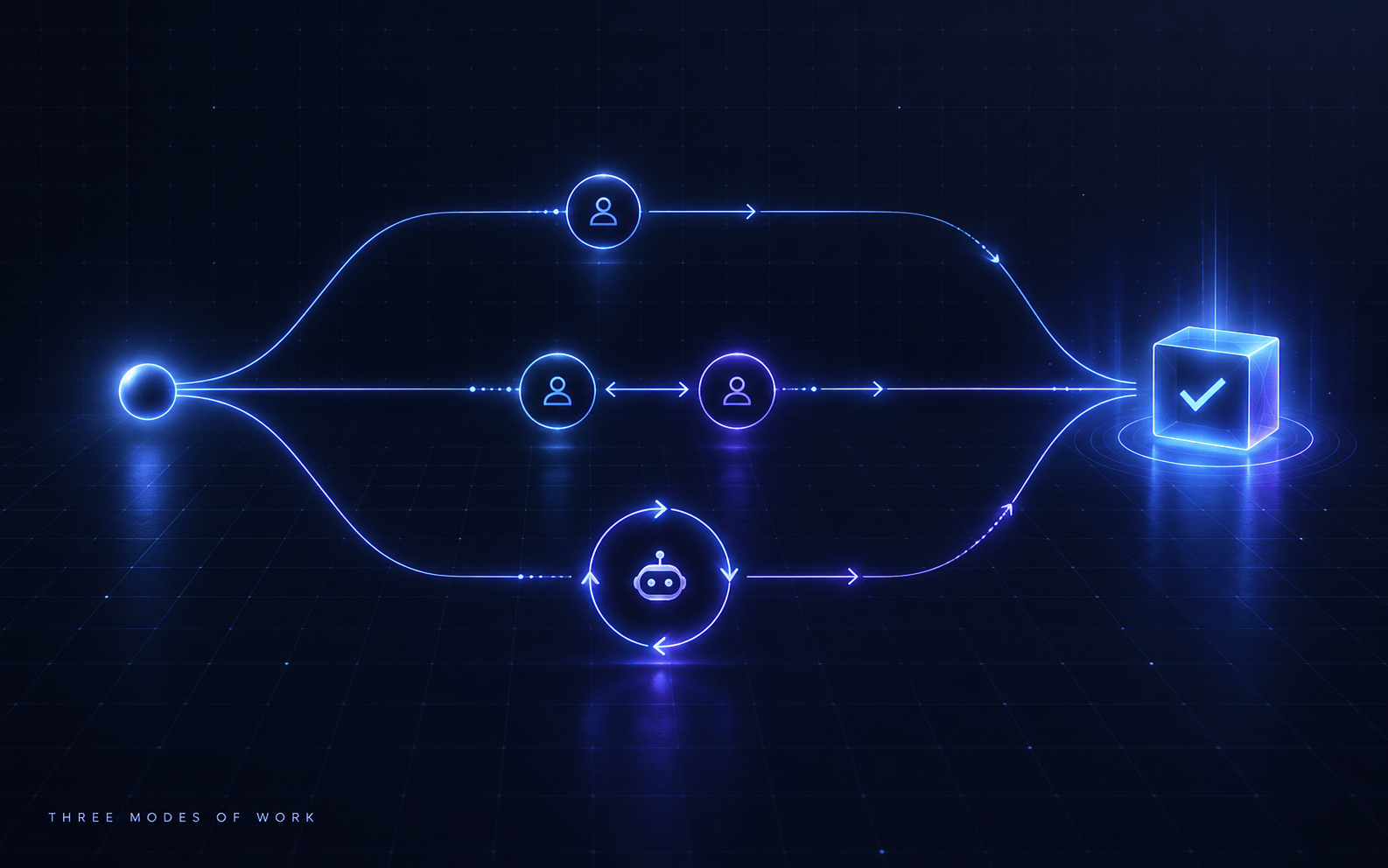
The most common mistake I see in agentic system design is treating Temporal as either the answer to everything or a scary add-on you defer until later. The reality is there are three distinct execution modes, and choosing the wrong one costs you either developer experience or production reliability.
Here is the clean decision framework I use.
The Three Modes
Mode 1: API only. The action is fast, interactive, and stateless enough to live inside a single request/response cycle.
Mode 2: API starting a Temporal workflow. The user or agent commits to durable real-world work. The API handles auth and validation; Temporal handles the scary parts.
Mode 3: Temporal-owned agent loop. The agent itself is the long-running process and must survive crashes, restarts, and multi-day timescales.
The skill is matching the mode to the workflow, not picking one and applying it everywhere.
Mode 1: API Only
Use this when the action completes safely inside a live request.
Examples: chat, idea generation, drafting captions, previewing a plan, reading metadata, quick database lookups, summarising analytics, explaining what happened.
// Fine as a direct API handler
const response = await generateIdeas({ productContext, count: 10 });
return { ideas: response.ideas };
No Temporal needed. Just stream the agent response and return.
The rule: if I can reasonably expect the operation to finish within a few seconds and failure means retrying the request, API only is the right choice. Interactive UX always wins over architectural purity here.
Where it breaks down: anything that touches external APIs with flaky uptime, anything that takes more than a few seconds, anything that should survive a server restart. Trying to force those into a synchronous handler is where you get silent timeouts and confused users.
Mode 2: API Starting a Temporal Workflow
This is the pattern I use for most of my product-grade agentic work. The agent calls a tool, the tool hits an API, the API starts a Temporal workflow, and the agent gets back a job ID within milliseconds.
Agent
  calls tool
    hits API endpoint
      API validates + starts Temporal workflow
        Temporal waits / retries / executes
          workers do the actual work
The agent tool stays thin:
export const schedulePost = async (
  input: SchedulePostInput,
): Promise<SchedulePostResult> => {
  const response = await fetch(`${API_BASE_URL}/content/schedule-post`, {
    method: "POST",
    headers: {
      "content-type": "application/json",
      authorization: `Bearer ${AGENT_API_TOKEN}`,
    },
    body: JSON.stringify(input),
  });
  return response.json();
};
The API endpoint does the work that should happen at the product boundary: authenticate, check credits, validate input, write to the database, start the workflow, return a workflow ID. Then Temporal takes over:
await temporalClient.workflow.start(schedulePostWorkflow, {
  workflowId: `schedule-post:${postId}`,
  taskQueue: "publishing",
  args: [{ postId, platform, scheduledAt, caption }],
});
The workflow handles everything that can fail: waiting until the scheduled time, refreshing auth tokens, verifying the asset is ready, publishing to the platform, retrying transient failures, recording the result.
The key insight: the agent tool returns immediately with a “scheduled” status, not with a “done” status.
type DurableToolResult = {
  readonly status: "accepted" | "scheduled";
  readonly entityId: string;
  readonly workflowId: string;
  readonly message: string;
};
The agent says “I have scheduled that post for Wednesday at 10am” and moves on. Temporal makes that actually true.
Why the API boundary matters: I could theoretically have the agent call Temporal directly, but that would bypass auth, billing, rate limits, idempotency checks, and audit logs. The API is the trusted product boundary. Temporal should only receive validated, trusted commands from the backend, not raw agent output.
Mode 3: Temporal-Owned Agent Loop
Use this when the agent is not responding to a user request but running as a long-lived autonomous process.
Examples: a daily content generation loop that wakes up, checks analytics, generates ideas, renders the best ones, publishes, then sleeps until tomorrow. A campaign manager that runs for two weeks adjusting posting frequency based on performance. A background processor that ingests uploaded media, transcribes it, extracts metadata, and queues assets for review.
Temporal workflow (long-running state machine)
  ↓
  Activity: call LLM to generate ideas
  Activity: select best candidates
  Activity: render media variant
  Activity: publish to platform
  Activity: record analytics event
  sleep until tomorrow
  loop
The workflow is the durable state machine. The activities are the actual capabilities: LLM calls, database writes, external API calls, media processing. Activities can fail and retry independently. The workflow survives the worker crashing overnight.
The thing to get right here: even in a Temporal-owned agent loop, the workflow should not call OpenAI or ffmpeg directly. Those are activity calls. The workflow just says “do this thing” and Temporal routes it to a worker that has the real capability.
Where Mode 3 fits: autonomous daily loops, analytics feedback cycles, multi-day optimisation processes, anything that must survive infrastructure restarts without losing state.
The Decision Rule
I use this hierarchy:
- Can it complete safely inside a live request, within a few seconds? Use API only.
- Does it create a real-world commitment that must survive failures? Use API starting a Temporal workflow.
- Is the agent itself a long-running autonomous process? Use Temporal-owned agent loop.
Or as a sharper version:
- Thinking and previewing: API
- Committing and executing: API + Temporal
- Autonomous operating loop: Temporal
Summary
| Mode | When to use | Returns |
|---|---|---|
| API only | Fast, interactive, stateless | Immediate result |
| API + Temporal | Durable real-world commitment | Job ID, “accepted” status |
| Temporal agent loop | Long-running autonomous process | Workflow continues indefinitely |
The best agents are not the ones that do everything themselves. They are the ones that know which execution mode to hand off to, and why.